Free · Open Source · Local-first

Fill any job form. Once, not every time.

Set up your profile once. Job Buddy reads any application form, matches every field to your profile, and fills what it can, with color-coded confidence on every answer.

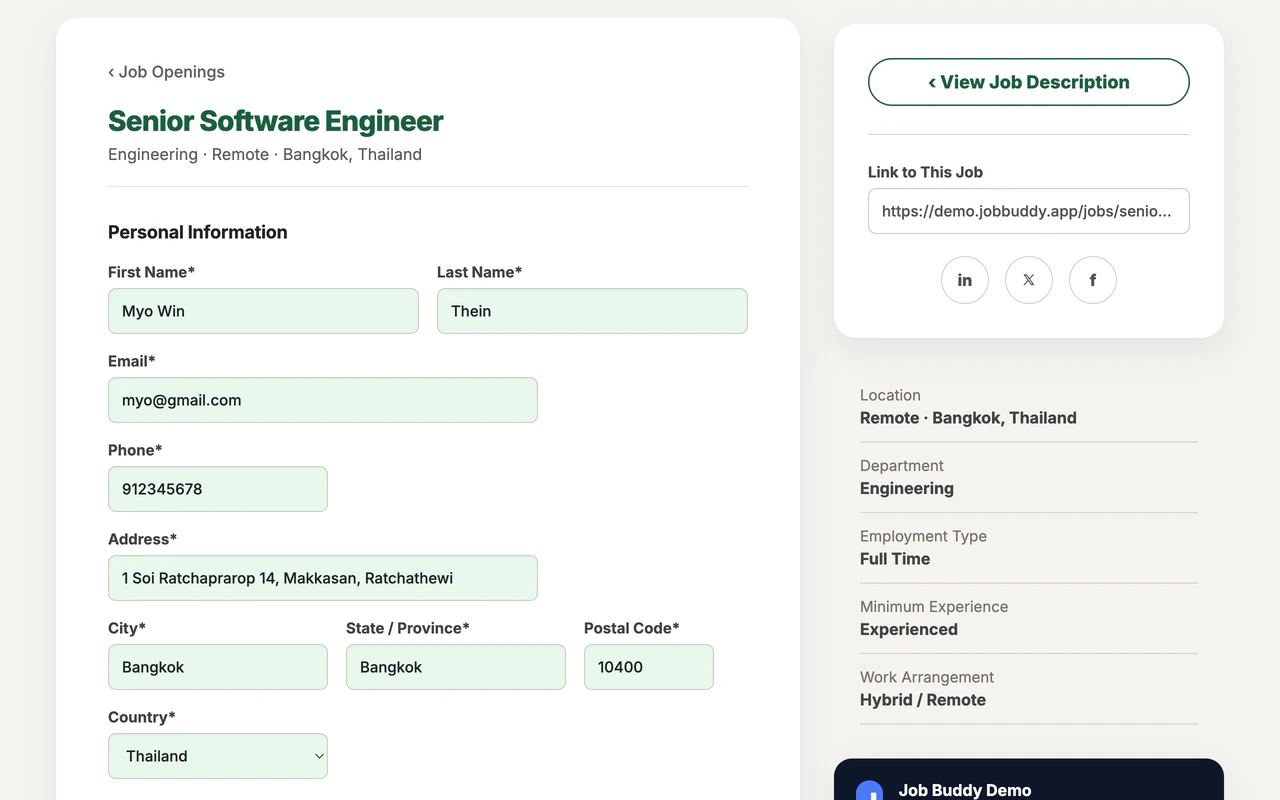
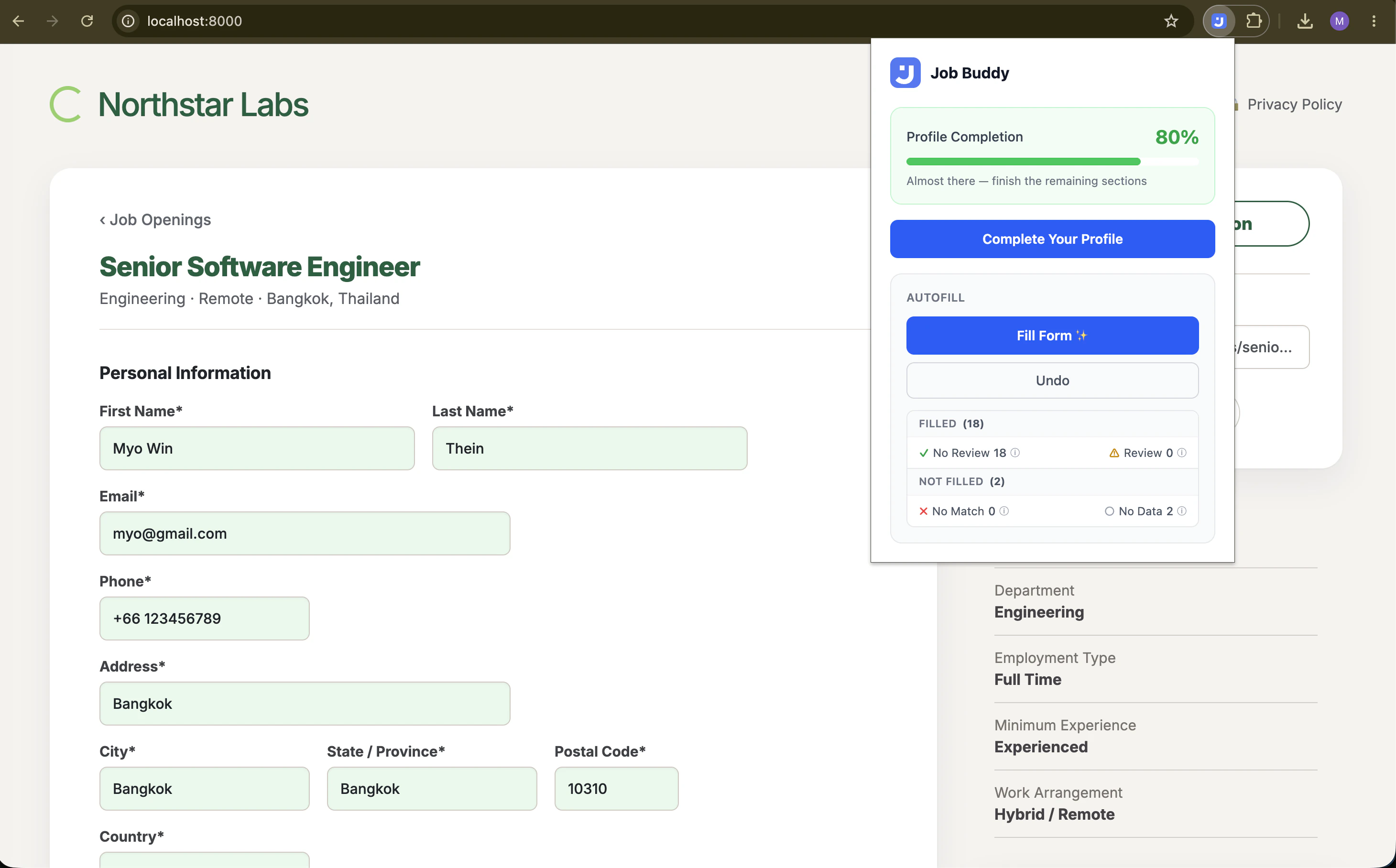
Job Buddy autofilling a job application form with green-highlighted fields

What the colours mean

Green

High confidence, filled automatically

Yellow

Medium confidence, worth a glance

Red

Low confidence, pick from your profile

Gray

Field matched but profile is empty

How it works

Three steps, then you're done

1

Build your profile

Fill in your details once: name, address, work history, education, salary expectations, work authorization per country, and more. Or upload your résumé and Job Buddy reads it, pulling your roles, education, and contact details into a review screen.

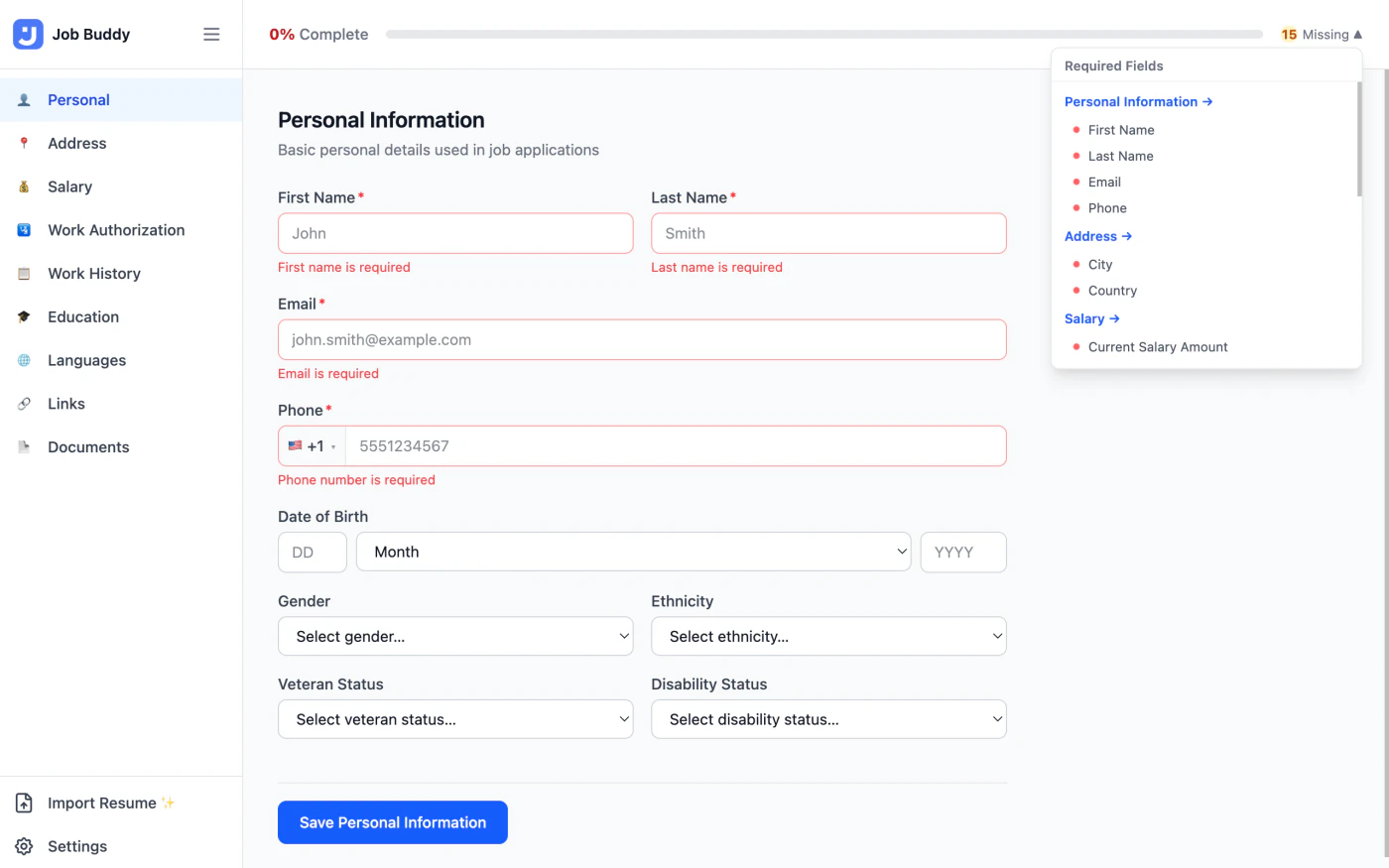
Job Buddy profile editor showing the Personal Information section
2

Click Fill Form ✨

Visit any job application page. Click the Job Buddy icon and press Fill Form. The extension scans every field, runs it through a four-layer matching pipeline, and fills what it can confidently.

Job Buddy filling a job application form with green-highlighted fields
3

Review, adjust, apply

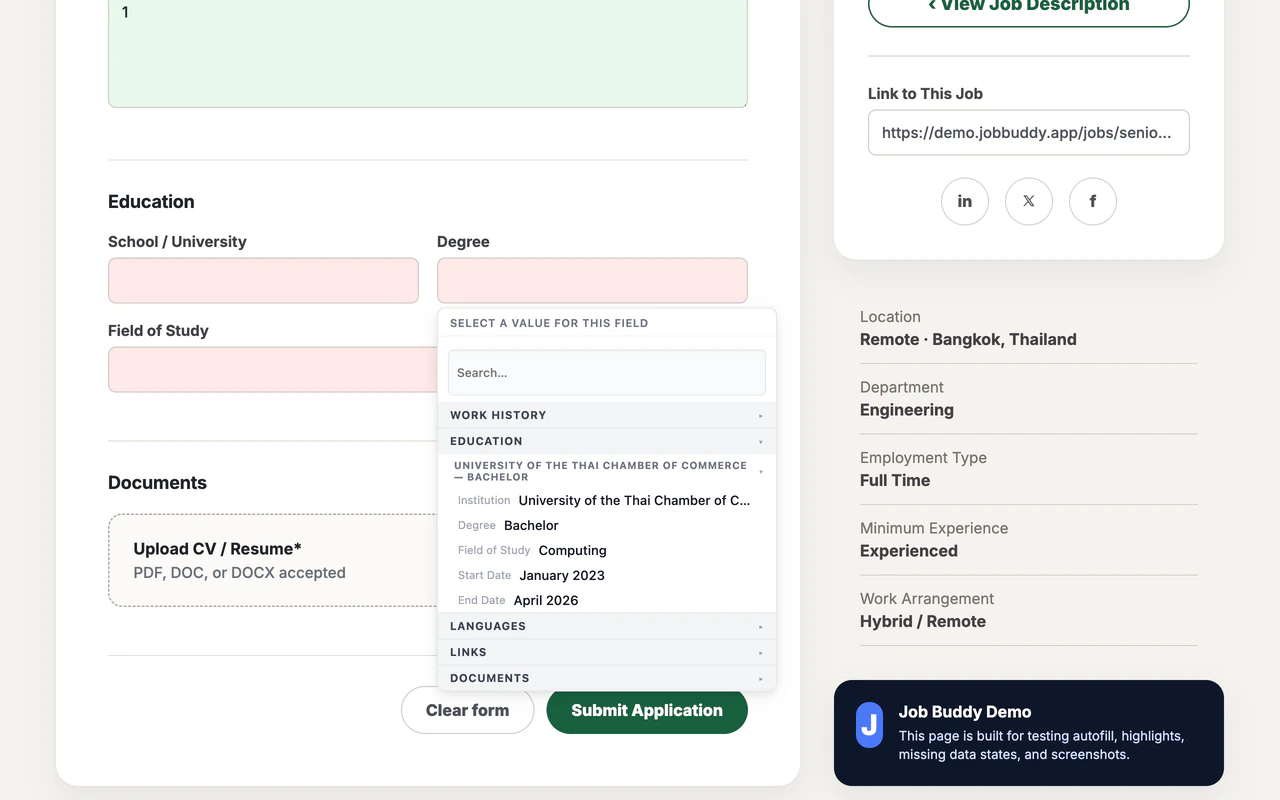
Click any highlighted field to see your profile options in a quick overlay. Correct a field and Job Buddy remembers that mapping for next time. Undo everything with one click.

Job Buddy field picker overlay showing profile value options

Features

Built for real application forms

Workday, Greenhouse, Lever, and custom ATS forms. Job Buddy handles the quirks of each.

Four-layer field matching

Learned mappings → HTML autocomplete → dictionary exact match → fuzzy text comparison. Every layer has a confidence score, and the highest-confidence win is always chosen.

Works on any field type

Native inputs, textareas, selects, ARIA comboboxes, contenteditable fields, React-Select dropdowns, click-to-open listboxes, and date inputs. All supported out of the box.

Learns from your corrections

Correct a field via the overlay and Job Buddy records that mapping for that site. Confirm it twice and it's promoted to top priority. Future visits fill that field automatically at high confidence.

Résumé import

Upload a PDF or DOCX and Gemini reads your résumé end-to-end, pulling out your work history, education, skills, and contact details into a field-by-field review. Nothing saves until you confirm.

Google Drive backup

Optionally sync your profile, including learned mappings, to a private folder in your own Google Drive. Restore to any machine instantly. Your data, your Drive, your control.

Multi-country ready

Per-country salary expectations, per-country work authorization and visa status, structured international phone numbers, and ISO country/currency lists. Built for job seekers applying globally.

Reads your résumé

Import your résumé.
Skip the typing.

Upload a PDF or DOCX and Gemini reads it end-to-end, pulling your work history, education, contact details, and links into a review screen. Hyperlinks come directly from the PDF annotation layer, so your LinkedIn and portfolio URLs arrive exactly as written.

  • Review every extracted field before a single thing is saved
  • Education dates are never inferred; only extracted when explicitly stated
  • The rule-based autofill works without any key. Resume import is an optional extra.
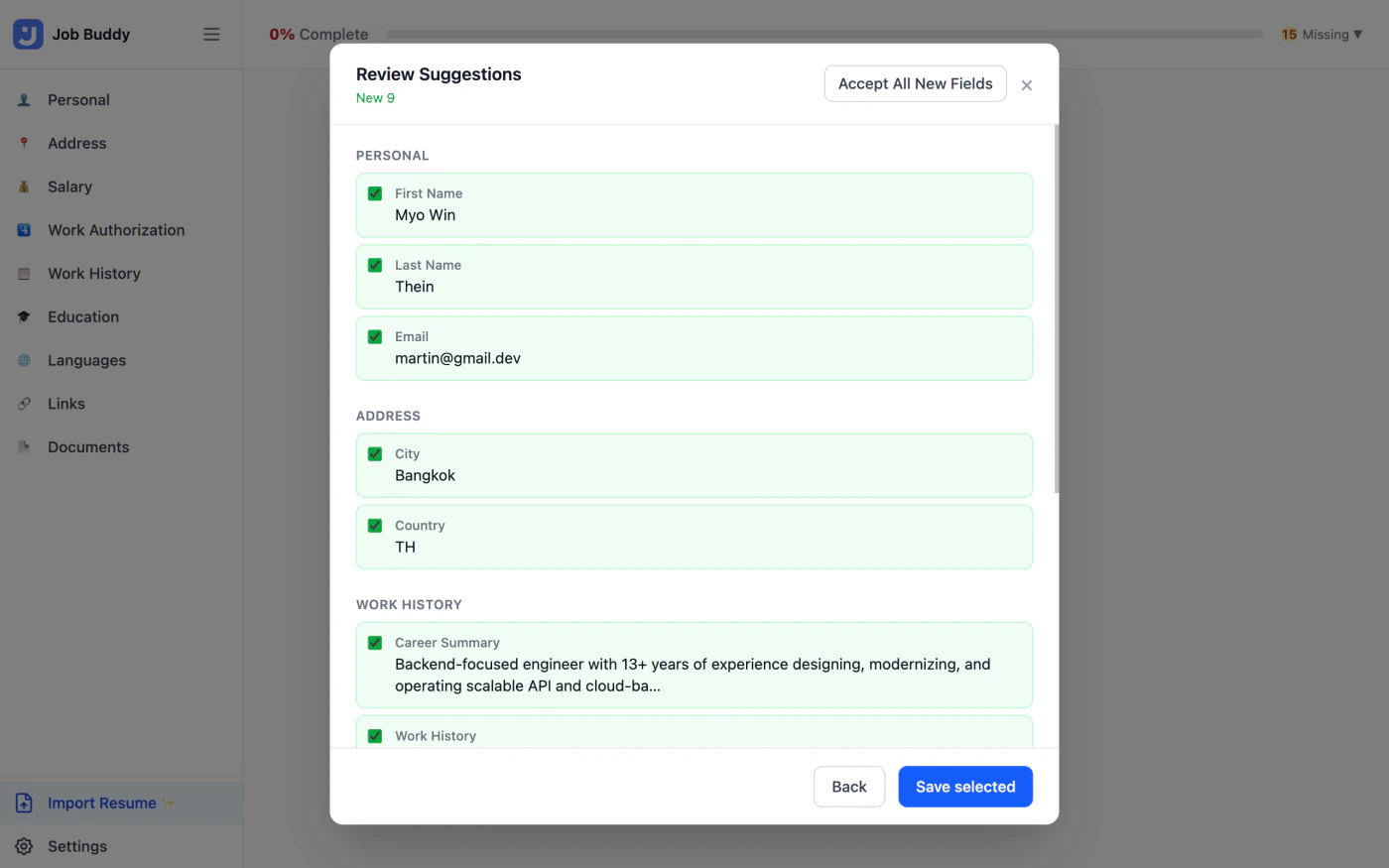
Job Buddy's AI resume import showing a review suggestions dialog with extracted profile fields
Local-first by design

Your data stays with you.

Job Buddy has no servers. Your profile lives in your browser's local storage and goes nowhere unless you explicitly opt in.

No servers

All profile data is stored in chrome.storage.local on your device. Job Buddy makes no network requests by default.

No tracking

Zero analytics. Zero telemetry. No cookies, no third-party trackers, no usage data sent anywhere. Ever.

Open source

Every line of code is on GitHub under the MIT License. Read it, fork it, audit it. You don't have to take our word for anything.

Cloud Backup, résumé import, and autofill assist are optional and off by default. They only activate if you explicitly enable them.

Read the full privacy policy →
See it in action

Job Buddy profile editor, Personal Information section
Job Buddy autofilling a job application form
Job Buddy field picker overlay
Job Buddy AI résumé import review dialog
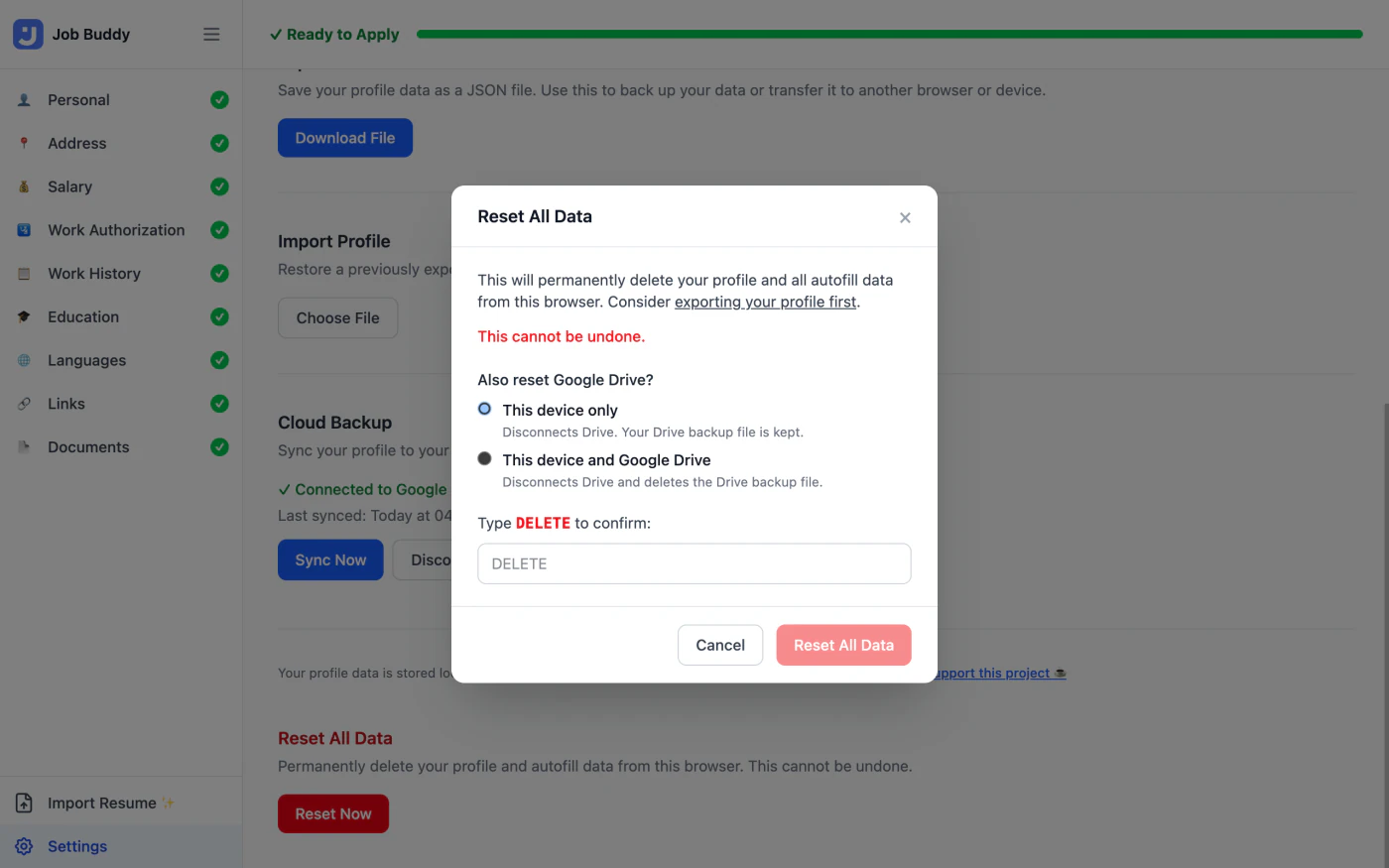
Job Buddy settings and Cloud Backup